Features

Play, reflect, coach, train, and track progress

Start Pickleball brings scoring, reflection and coaching together so every match makes the next one better. Here is what each part does, and why it helps you improve.

Score

Score every rally without breaking your rhythm

A scoreboard built for the court, so you always know where the match stands.

  • Score singles and doubles matches.
  • Singles and doubles Pickleball matches.
  • Traditional side-out scoring and rally scoring where selected.
  • The serving team and match state tracked for you.
  • Undo the last point, and save an unfinished match to resume later.
  • Optionally record match activity through Apple Health, with permissions controlled in the app and iOS.

Why it helps. You never lose the score or reach for your phone between points. The match state is always right in front of you, so you can stay in the game.
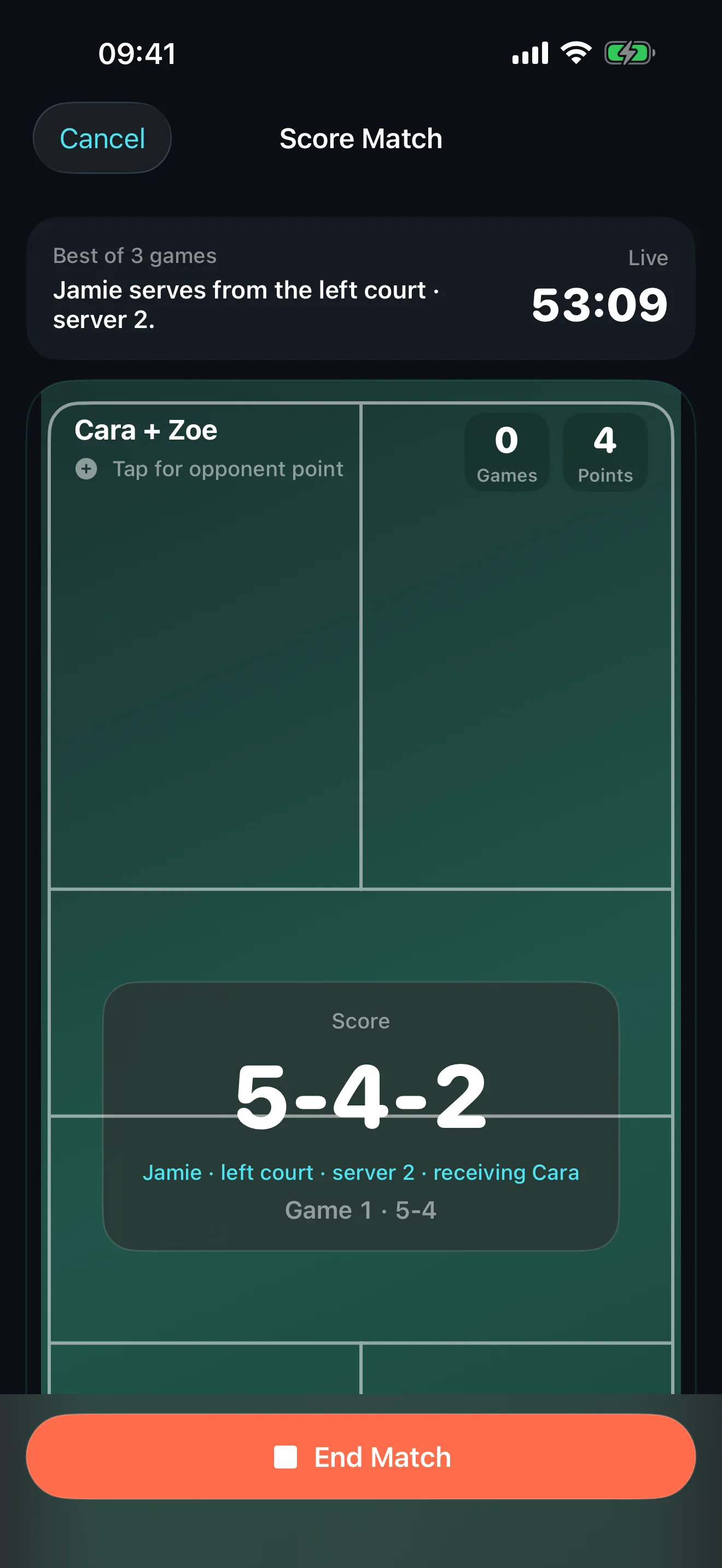

Start Pickleball live scoring screen showing the current score, service side and both teams, with an End Match button.

Score

Keep score from your wrist

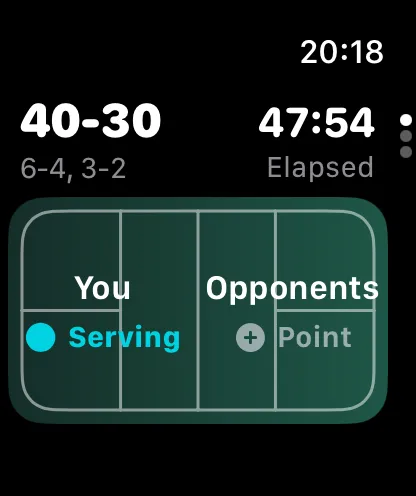
Leave your phone in the bag and score from Apple Watch.

  • Add points directly from the wrist.
  • See the score and elapsed time during play.
  • Undo the last point, and optionally tag the next point.
  • End the match on Apple Watch and sync the final result to iPhone.

Why it helps. Scoring at the wrist keeps play flowing. No walking to the net-post, no interruptions, and the finished result is waiting on your iPhone.

Start Pickleball on Apple Watch showing the current score, elapsed time and serving team.

Reflect

Capture what happened while it is fresh

A short guided debrief turns a scoreline into something you can learn from.

  • Answer a few guided questions after playing.
  • Speak answers with on-device transcription, or type them instead.
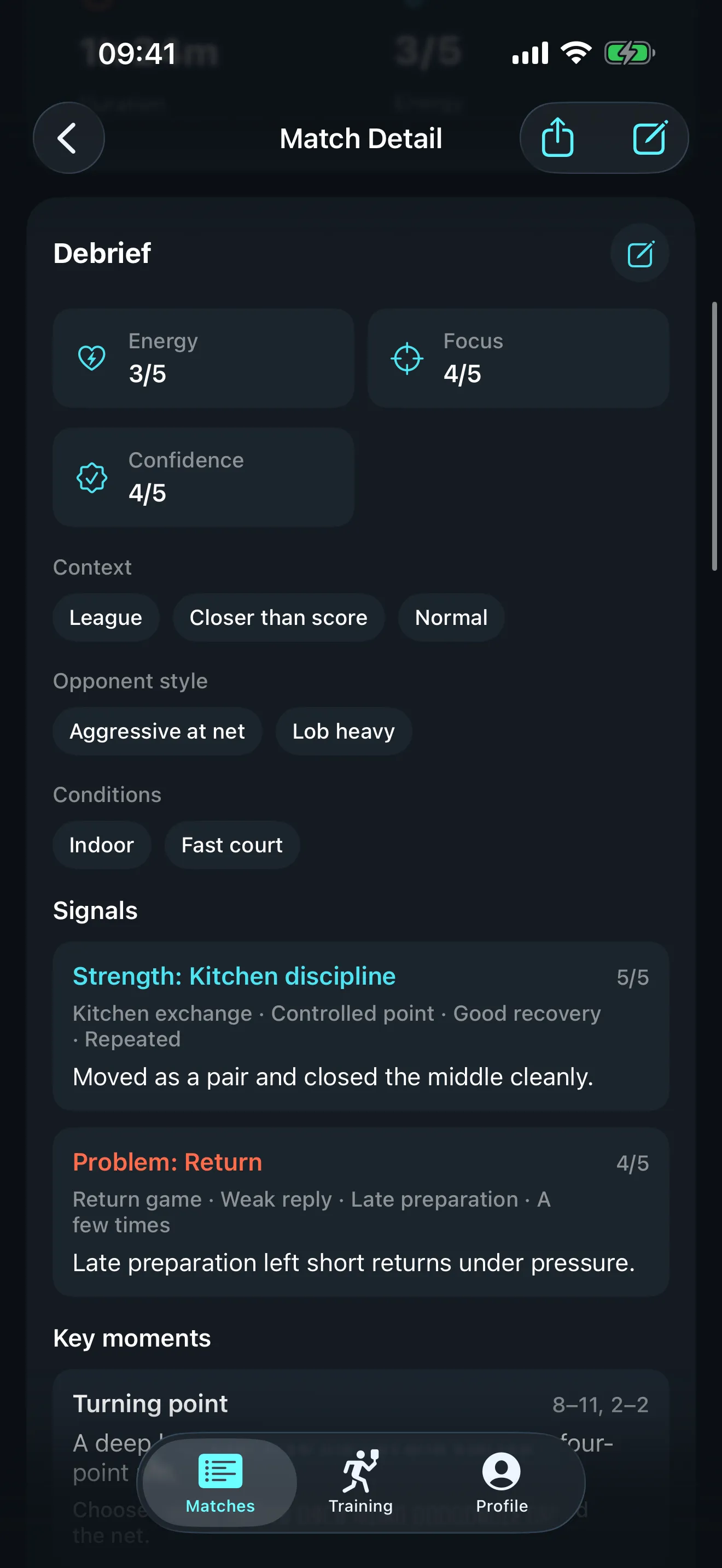
  • Record strengths, weaknesses, key moments, physical condition, match context, opponent style, court conditions and tactical patterns.
  • Edit the extracted details before relying on them.

Why it helps. The score alone forgets the plot. A quick reflection keeps the why, and richer reflections lead to more relevant coaching.

Start Pickleball match detail screen showing score, duration and energy for a completed match, with a debrief panel rating effort, focus, confidence and composure.

Coach

Turn results into a focused plan

Coaching that starts from your actual matches, not generic advice.

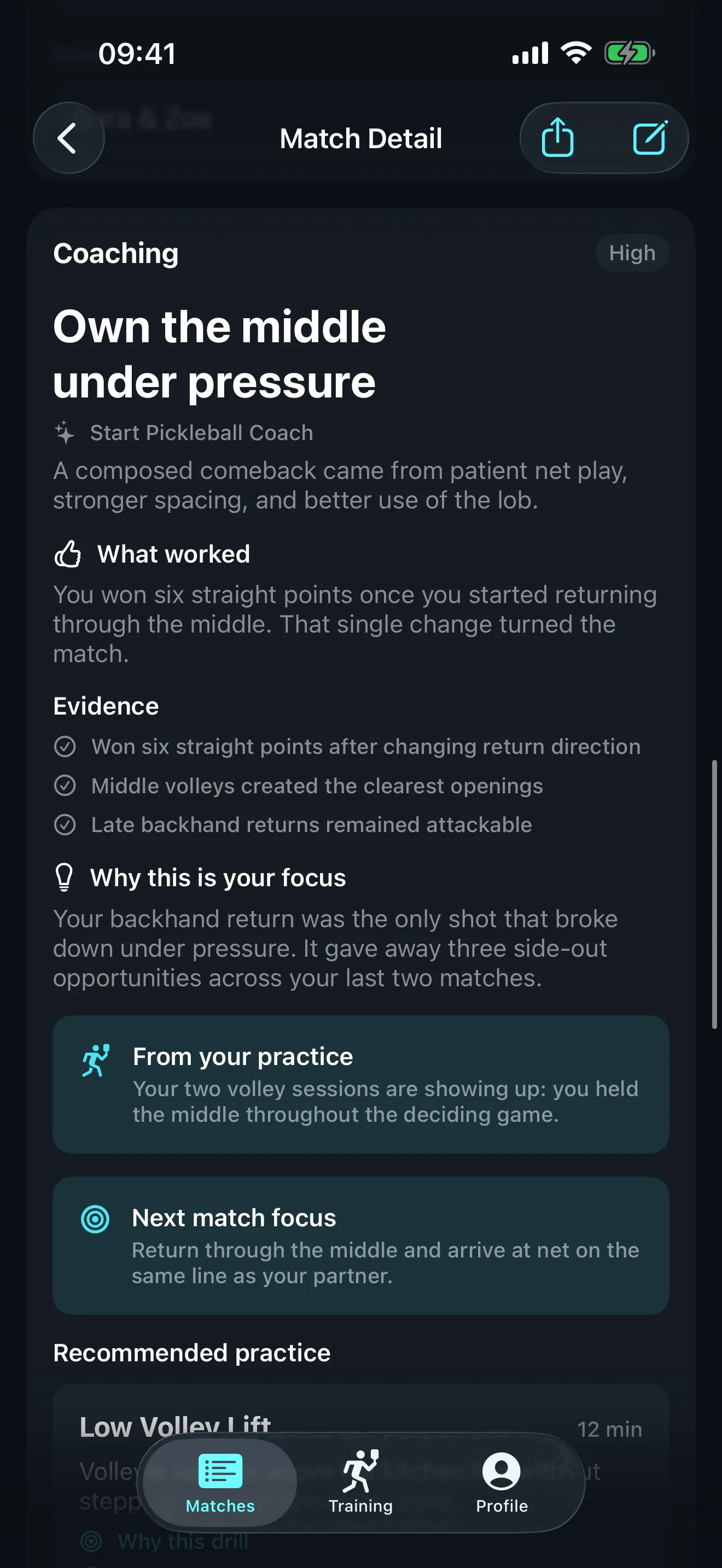
  • Uses your result, debrief, recent matches, level, goals and recent training.
  • Identifies the primary area to improve.
  • Provides a match recap and supporting evidence.
  • Recommends a specific focus for your next match, and generates relevant drills.

Why it helps. Improvement needs direction. Instead of guessing what to work on, you get one clear focus tied to what actually happened on court.

Start Pickleball training screen showing an active coaching focus of "Backhand return depth" with a recommended practice drill and a Start Practice button.

Train

Practise with purpose

Every plan becomes concrete, timed practice you can run on court.

  • Turn coaching plans into recommended practice.
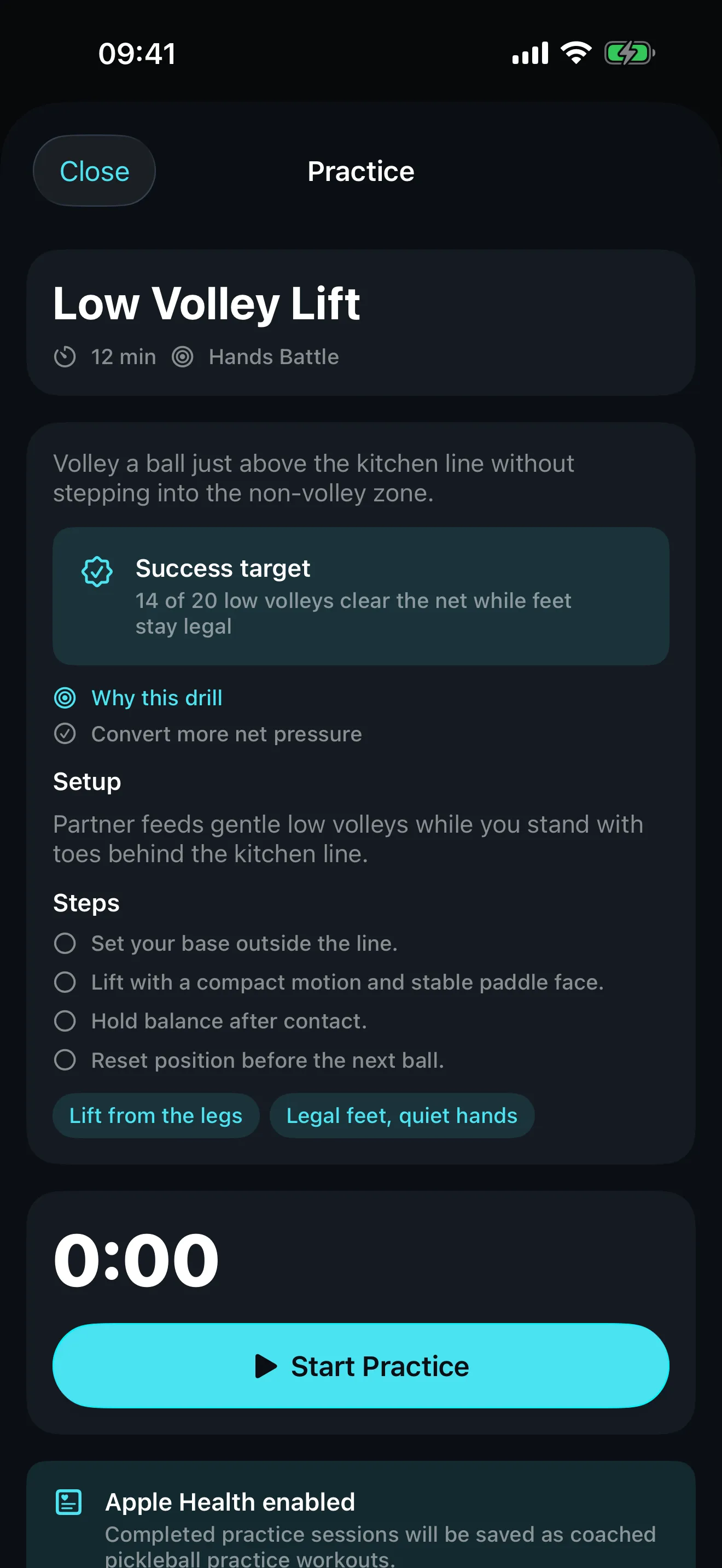
  • See each drill’s goal, duration, setup, steps, court diagram, cues, common mistakes, progression, regression and success measure.
  • Run timed practice sessions and record results, difficulty and how useful the session felt.
  • Optionally record completed practice through Apple Health with permission.

Why it helps. Knowing what to fix is only half of it. Structured drills with a clear success measure make practice count and show up in your progress.

Start Pickleball practice screen for a "Two-volley pressure pattern" drill showing the success target, setup, numbered steps, coaching cues and a practice timer.

Progress

See improvement across matches and training

Trends, not just totals, so you can tell whether the work is paying off.

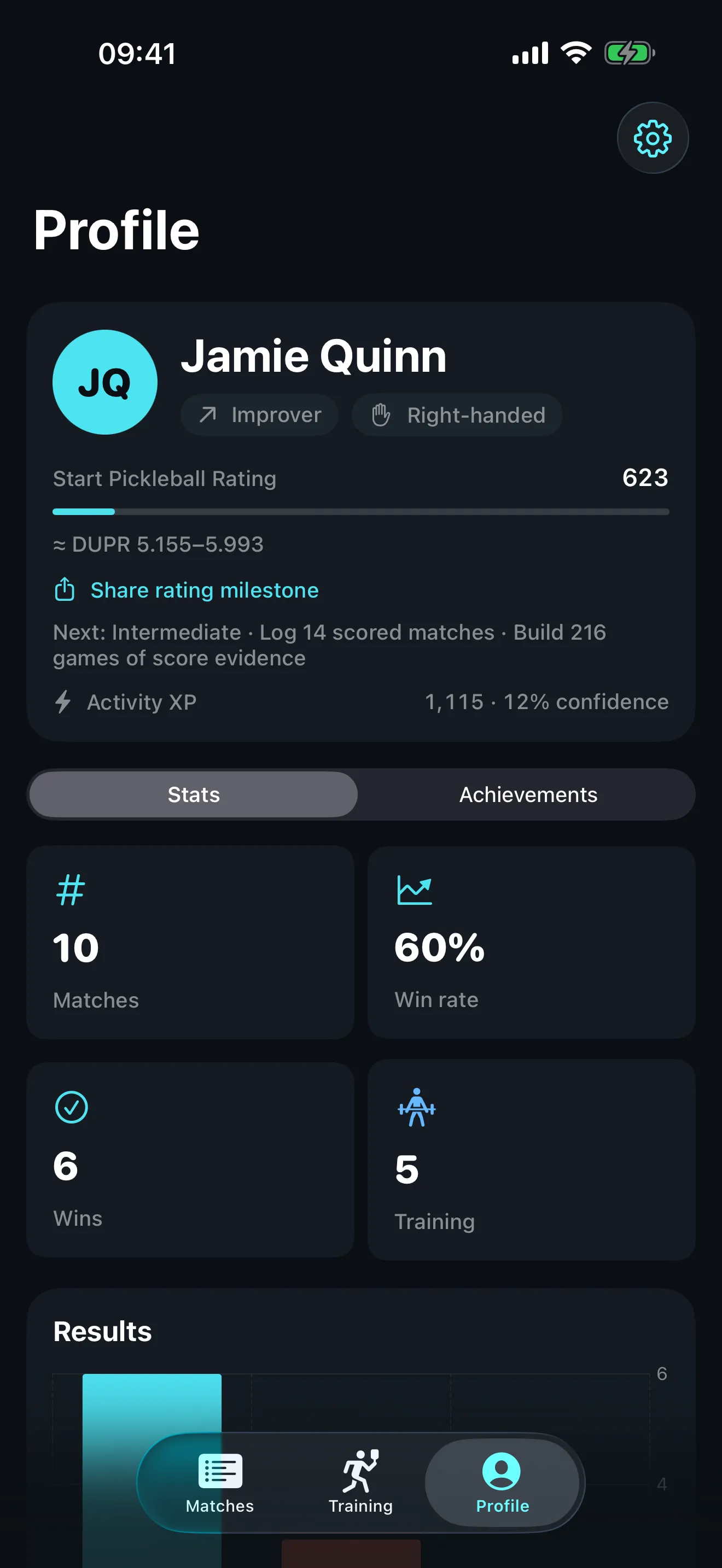
  • Show completed matches, wins, win rate and training totals.
  • Visualise result trends and identify recurring weakness tags.
  • Track skill rating, current level, confidence and activity XP, with the evidence behind progression.
  • Record training minutes and completed plans, and unlock achievements from your activity.

Why it helps. Progress is hard to feel week to week. Seeing rating, trends and recurring weaknesses in one place makes deliberate improvement visible.

Start Pickleball profile screen showing a skill rating progress bar, activity XP, and stat tiles for matches, win rate, wins and training sessions.

Referee

Settle rules questions on court

A match-aware rules assistant for those "wait, is that allowed?" moments.

  • Ask a rules question during a match.
  • Answers use the live match format, score and serving context where relevant.
  • Common-dispute shortcuts, and clarifying questions when the facts are not enough.
  • Clear explanations of serving, scoring, kitchen and fault rules.

Why it helps. A quick, cited answer keeps a friendly game friendly. Always confirm competition-specific rules with the organiser, but for everyday disputes you have a reference in your pocket.

Share

Save results and share the ones worth showing

Add a result afterwards when you did not score it live, then share a clean result card when you want to.

  • Add a result after the match, recording teams, players, dates, formats and scores.
  • Review the details before saving and avoid duplicate entries.
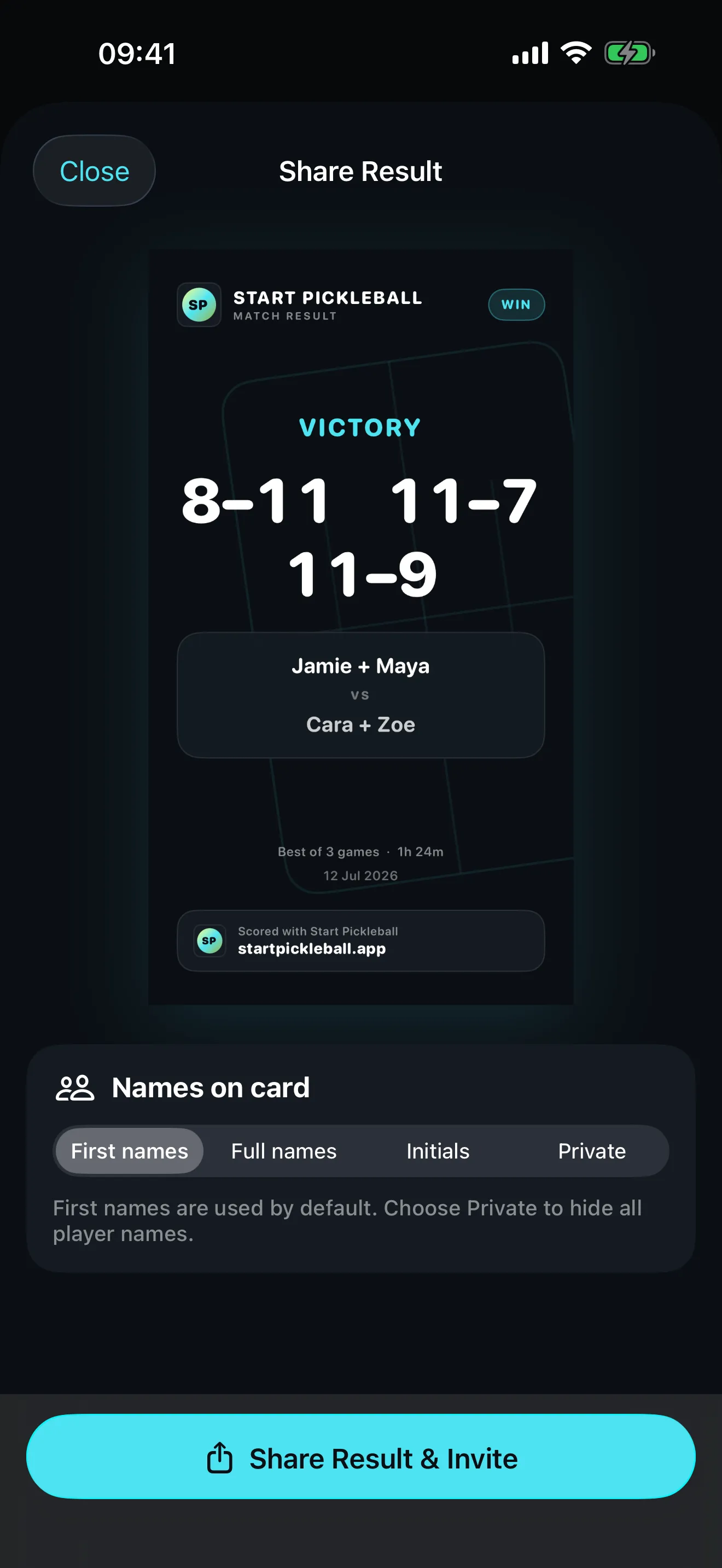
  • Create a vertical result card, control whether full names, first names or no names appear, and share via the iOS share sheet.

Why it helps. Your history should be complete without double entry, and a clean result card lets you share the win while keeping control of who is named.

Start Pickleball share sheet showing a vertical match result card with the set scores and both pairs, above controls for whether first names, full names, initials or no names appear on the card.

Privacy

Your game stays your game

Private by design, with no account and no advertising tracking.

  • No Start Pickleball account is required.
  • Core profiles, matches, notes, debriefs, coaching plans, training history, achievements and progression are stored locally.
  • Voice transcription and supported Apple Intelligence processing run entirely on device when available, so your matches and debriefs are never sent to a server to generate coaching.
  • Health access is optional and permission-based, and you can disable future Health exports and delete local app data.

Why it helps. Your pickleball data is personal. Keeping it on your device by default, with optional Apple services controlled by system permissions, means improving does not mean giving up your privacy.

Ready to improve deliberately?

Score every rally, reflect on every match, and turn each result into a focused plan for your next session.

Download on the App Store